
Customer Portals Explained
A customer portal sounds like enterprise software. In practice, it's one of the highest-leverage tools a small business can offer — once the customer base hits a certain size, the absence of one starts costing real money.
A customer portal sounds like enterprise software. In practice, it's one of the highest-leverage tools a small business can offer — once the customer base hits a certain size, the absence of one starts costing real money in support time, customer frustration, and lost retention.
What a portal actually is
A private, secure web area that customers log into to see their information, manage their account, and complete recurring tasks themselves. Status updates, document downloads, appointment booking, invoice history, support requests. Anything customers currently have to email you for is portal territory.
The hidden cost of not having one
Every email asking "where's my order" or "can you resend my invoice" or "what was the last thing we agreed?" takes a few minutes to answer. Multiplied by 50-200 customers across a year, those minutes become hundreds of hours.
What a good portal includes (v1)
Login + secure password reset. Profile management. Status of current projects/orders/cases. Document downloads. A notifications inbox. A "raise a request" form. That's it for version one. Resist the temptation to build everything at once — ship the minimum, watch what customers use, build what they ask for next.
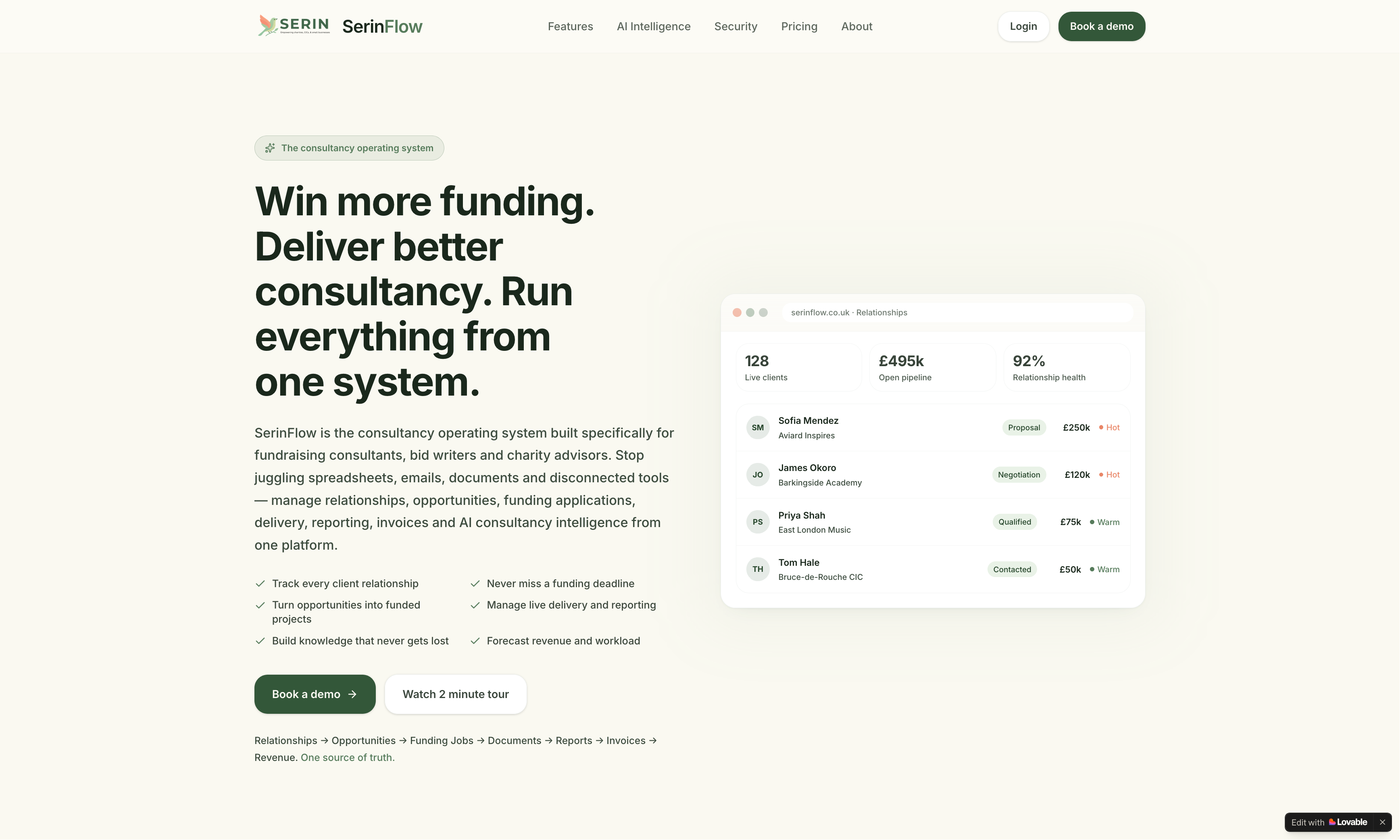
The operating system fundraising consultants didn't know they were allowed to want.
SerinFlow is a custom-built consultancy platform for fundraising consultants, bid writers and charity advisors. One place to manage relationships, opportunities, applications, delivery, reporting, invoices and AI consultancy intelligence — instead of seven disconnected tools.
Read the case studyFree Business Growth Report
Discover how visible your business really is.
A personalised report on your local demand, visibility opportunities, growth barriers and revenue potential — built specifically for your business.
- Local demand
- Visibility opportunities
- Growth barriers
- Revenue potential
- Recommended next steps
What a good portal does NOT include (v1)
Live chat (use existing tools). Complex reporting (build later if needed). Custom dashboards per customer (vanity feature). Integrations with everything (most aren't used). Resist the gold-plating instinct.
Adoption is the hardest part
Building it is the easy bit. Getting customers to actually use it is harder. The pattern that works: announce it, walk active customers through it personally, send the portal link in every email signature, and gradually migrate questions ("here's the answer — by the way, you can find this any time in your portal"). Within 3-6 months, adoption usually crosses 50% and the savings start compounding.
The customer experience win
A portal that's easy to use is a quiet trust signal. Customers who can self-serve at 11pm on a Sunday think more highly of the business than customers who have to wait until Monday morning. The portal becomes a reason to stay rather than a reason to look at competitors.
For the broader question, see does your business actually need an app?
Free Business Growth Report
Discover how visible your business really is.
A personalised report on your local demand, visibility opportunities, growth barriers and revenue potential — built specifically for your business.
- Local demand
- Visibility opportunities
- Growth barriers
- Revenue potential
- Recommended next steps
Read next · Web & Mobile Apps
Keep reading


Related services